
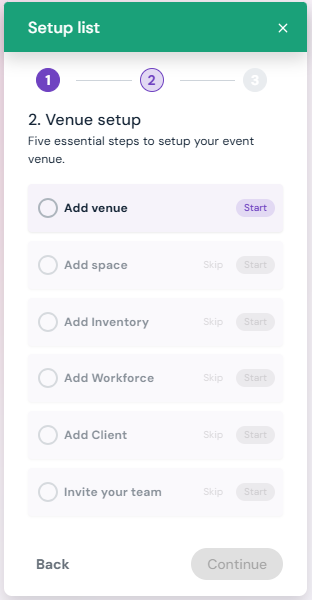
Step 1: Add Venue - Enter essential venue details (address, capacity, amenities, etc.).
Step 2: Add Space - Define the specific rooms or areas available for events.
Step 3: Add Inventory - List equipment and resources your venue provides.
Step 4: Add Workforce - Add staff members who manage or support events.
Step 5: Add Client - Store client details for streamlined communication.
Step 6: Invite Your Team - Give team members access to collaborate on Sho-Soft.
* Click on any of the links above to view details for set-up of each step.