
How to Add a Venue
- Open Add Venue
- Click the Start button next to Add Venue on the setup list pop-up (bottom right corner).
-
- Or, click the yellow Add Venue button on the Welcome to Sho-Soft page.
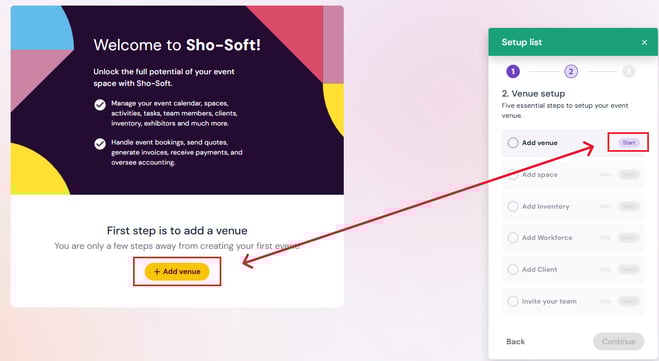
- Or, click the yellow Add Venue button on the Welcome to Sho-Soft page.
- Enter Venue Details
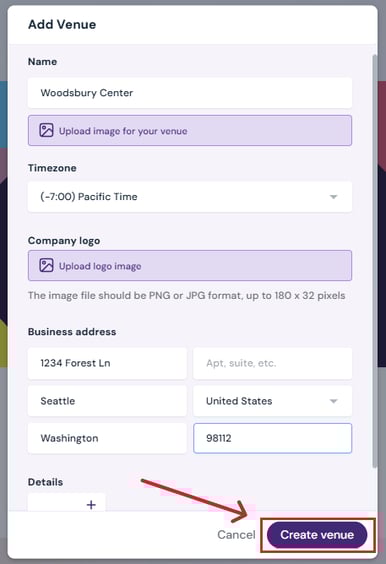
- Venue name
-
- Optional: Upload an image
-
- Set your time zone
-
- Optional: Upload a company logo
-
- Enter business address
- Optional: Add notes in the Description field
3. Create Venue
-
- Click Create Venue to save your details.
- Click Create Venue to save your details.
Next Steps:
Continue venue setup with Add Space.Start managing events by adding them directly to the calendar