
How to Add Workforce
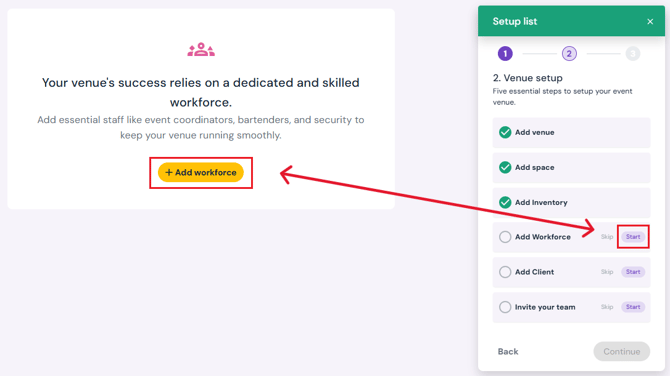
- Click the Start button next to Add Workforce on the setup list pop-up (bottom right corner).
- Click the yellow Add Workforce button on the page.
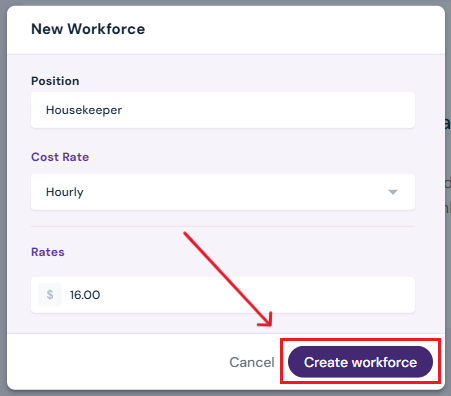
- Enter Workforce Details:
- Pick a position from the drop-down menu, or type in a new position and select Add a new position.
4. Create Workforce
-
- Click Create Workforce to save your workforce details.
- Click Create Workforce to save your workforce details.
Next Steps
Continue Venue Setup with Add Client
Add/edit/delete workforce members anytime on the Workforce page