
How to Add Inventory
-
Go to the Activities tab within the event.
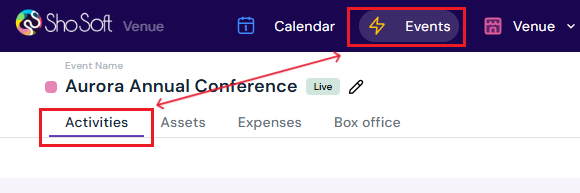
-
Click the day of the event where you want to add inventory.

-
Select the Inventory tab.
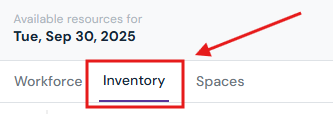
-
Click the Add Item button at the bottom of the box.
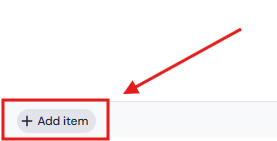
-
Enter details:
-
Item: Choose from the dropdown (all permanent inventory items under the Venue tab will appear here – see how to add/edit/delete inventory in your Venue profile) or type in a new item and select Add New Inventory Item (if the inventory entry will be used for this particular event only).
-
Type: Select a category from the dropdown. (Categories must already be created in your Venue Inventory profile to appear here. See how to add/edit/delete categories).
-
Quantity: Enter the number of items required.
-
Optional: Assign a space if inventory is linked to a specific room.
-
Quote/Invoice Code: Pick the default code to add to the existing quote or click Create New to generate a separate quote or invoice.

-
-
Click the ✔ to complete the entry or ✖ to discard.
How to Edit Inventory
-
Double-click the row you want to update.
-
Make the necessary changes.
-
Click the ✔ to update the entry or ✖ to discard.
How to Delete Inventory
-
Hover over the item entry you want to remove.
-
Click the three-dot menu.

-
Select Delete.
-
Confirm by clicking Yes, Delete in the pop-up.
Tip: Repeat inventory setup for each day of the event as needed. Always assign appropriate quote or invoice codes to ensure accurate billing for your organization.
Next Steps
Invite a producer to Sho-Soft for a collaborative event
See how to add/edit/delete daily activities for an event
Add/Edit/Delete Tasks to your daily activities
See how to add/edit/delete workforce per day for an event
See how to add/edit/delete spaces per day for an event
Add exhibition to an event for managing exhibitors