
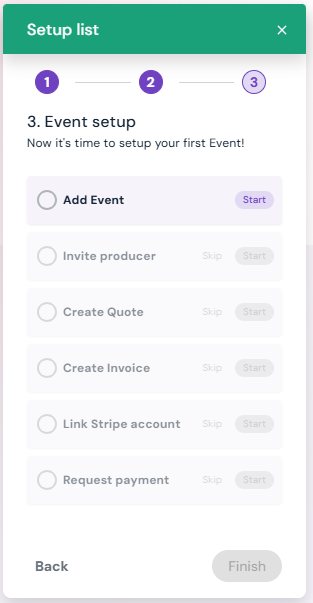
Step 1: Add Event – Create a new event in your calendar, including event name, dates, and details.
Step 2: Invite Producer – Add the event producer to collaborate and manage event details.
Step 3: Create Quote – Generate a detailed quote for the client, including venue, spaces, inventory, and workforce costs.
Step 4: Create Invoice – Convert the quote into a formal invoice for billing purposes.
Step 5: Link Stripe Account – Connect your Stripe account to Sho-Soft to enable secure online payments.
Step 6: Request Payment – Send the payment request to your client directly through Sho-Soft.
* Click on any of the links above to view details for set-up of each step.