
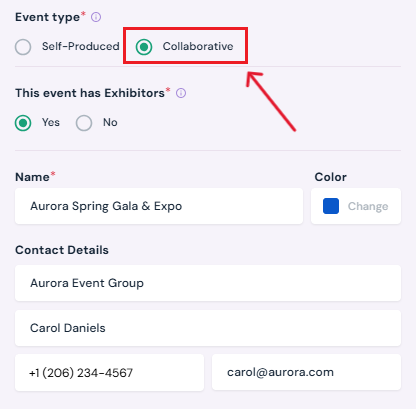
Note: You can skip this step if the event is Self-Produced. Only complete this step for Collaborative Events.
1. Open Invite Producer
-
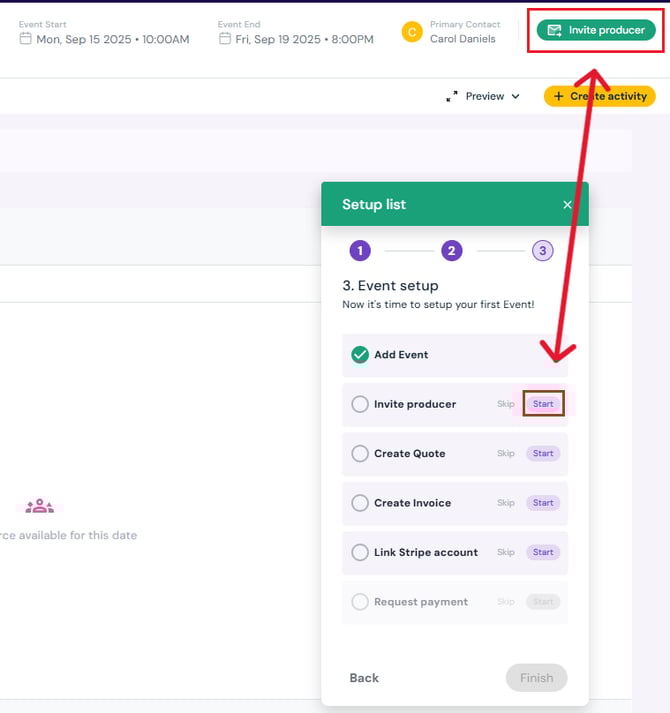
Click the Start button next to Invite Producer on the setup list pop-up (bottom right corner).
-
Or, click the green Invite Producer button (top right corner of the event page).
2. Send Invitation
-
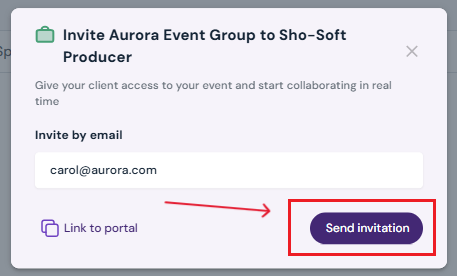
The client’s email address will auto-fill (this is pulled from the client you assigned during event creation. You can also add a new client if needed).
-
Reminder: Make sure you selected collaborative for event type and added the client in the event creation pop-up; otherwise, the email field will be blank.
-
-
Review the details and click Send Invitation.
3. Producer Access
-
Once invited, the producer will receive an email to join the event.
Next Steps
Continue event setup with Create Quote