
How to Add a Vendor
- Under setup on the left-hand side, select Vendors.
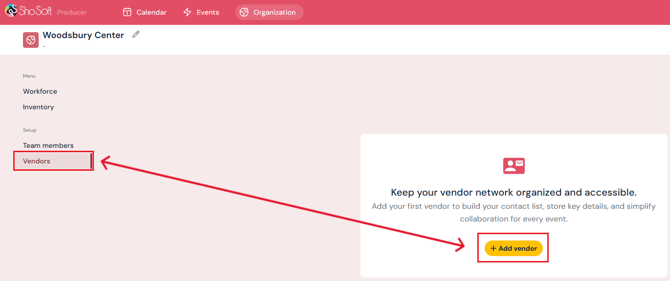
- Click the yellow Add Vendor button.
- Enter vendor details:
- Vendor Company name
- Primary Contact: name, phone (optional), email (optional)
- Vendor Company name
-
- Optional: Click Add Contact Person to add additional contacts and repeat the previous step.
-
- Optional: Enter the vendor’s website.
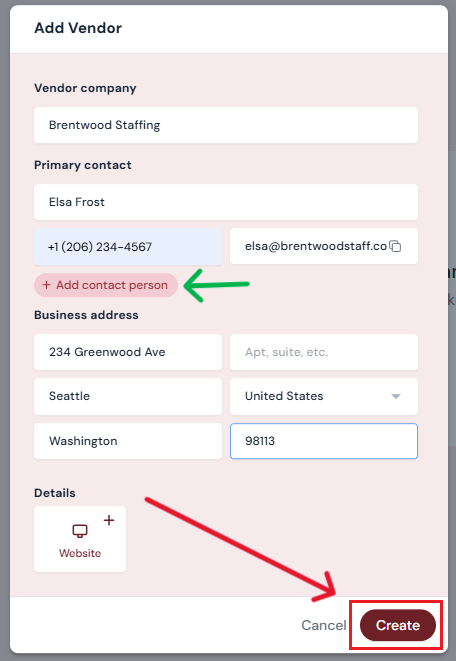
- Optional: Enter the vendor’s website.
- Click Create.
Your vendor will now appear on the main Vendors page.
Next Steps
Add/edit/delete vendors at any time from the Vendors page
Add workforce details for more complete records