
1. Create Your Sho-Soft Account
- Go to sho-soft.com.
- Click Get Started Free on the homepage.
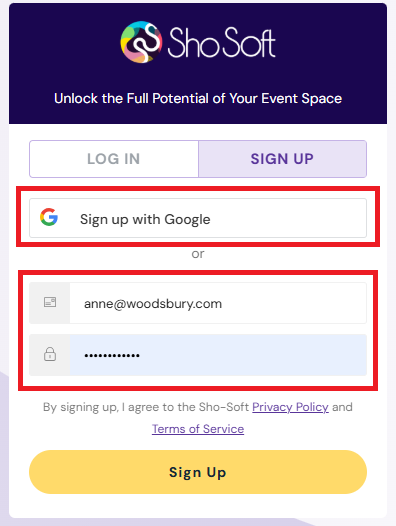
- Fill in your account details:
- Click Sign up with Google
- Work Email Address
- Password (minimum 8 characters, mix of letters and numbers)
- Click Sign Up
- Fill in member information:
- First & last name
- Organization name
- Pick organization type: event Venue or event Producer ⚠️ Important: This choice cannot be changed later. Be sure to select the option that best matches your role in the event business as this determines the features and setup flow you’ll see in Sho-Soft.
- Event Venue - For those who own or manage event spaces and want to handle spaces, clients, and in-house resources.
- Event Producer - For those who plan and organize events, coordinate with vendors, and manage production workflows.
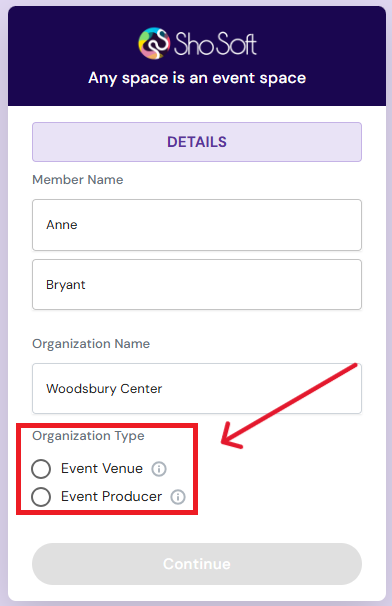
- Click Create Account.
Next Steps: Complete Your Profile
Venues: Creating a profile
Producers: Setting up your organization