
How to Add Support Contacts
-
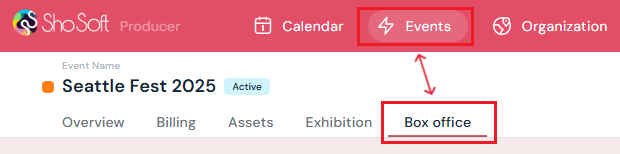
Access the Event's Details Page
-
Navigate to the Box Office section.
-
-
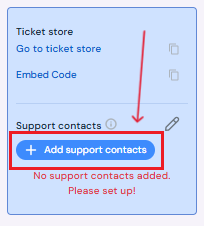
On the left side panel, find the blue “Add support contacts” button.
-
Enter Contact Information
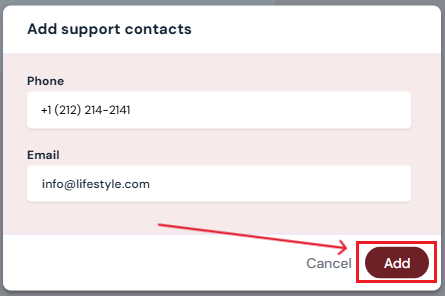
In the pop-up:-
Enter a phone number for attendees to contact support.
-
Enter an email address for attendees to contact support.
-
-
Save the Contact
Once saved, the contact will display in the support section and appear on the storefront for attendees.
How to Edit or Delete Support Contacts
-
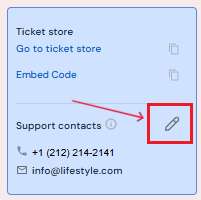
Edit Contact Information - Click the Edit (pencil) icon next to the support contact.
Make any necessary changes to the phone number or email address, then click Save. -
Delete a Contact - Click the Edit (pencil) icon next to the support contact.
Click Delete on the pop-up and confirm by clicking Yes, Delete.
Once deleted, the contact will no longer appear on the storefront or support section.
Next Steps
Create/Edit/Delete tickets in your box office for attendees
Add promo codes for event tickets through the box office
Create/Edit/Delete producer staff passes
Create/Edit/Delete producer guest passes
Create/Edit/Delete exhibitor staff pass limits
Create/Edit/Delete exhibitor guest pass limits
Lookup or check-in attendees for an event
View a comprehensive list of attendees for an event
Use the box office statistics page to asses event performance