
Method 1 – Through the Events Tab
-
Go to the Events tab on the top toolbar.
-
Hover over the event you want to view.
-
Click the pink Event Details button.

-
The full event details page will open.
Method 2 – Through the Calendar
-
In the Calendar, find the event you want to view.
-
You can:
-
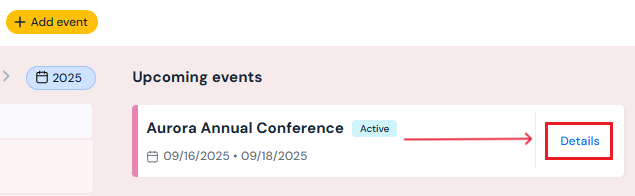
Click the Details button next to the event in the Upcoming Events list (right-hand side of the page), or
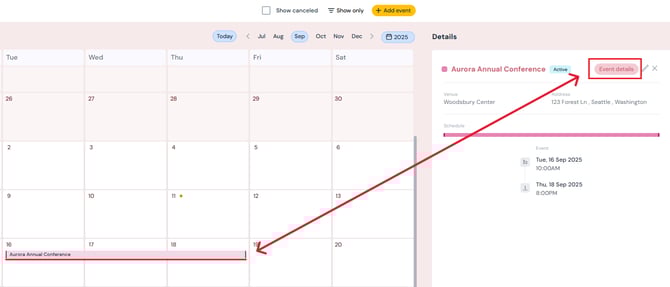
- Click directly on the event in the calendar view. Then, on the right-hand event panel, click the purple Event Details button next to the event name.
-
Next Steps
See how to add/edit/delete daily activities to each event
See how to add/edit/delete tasks to each activity